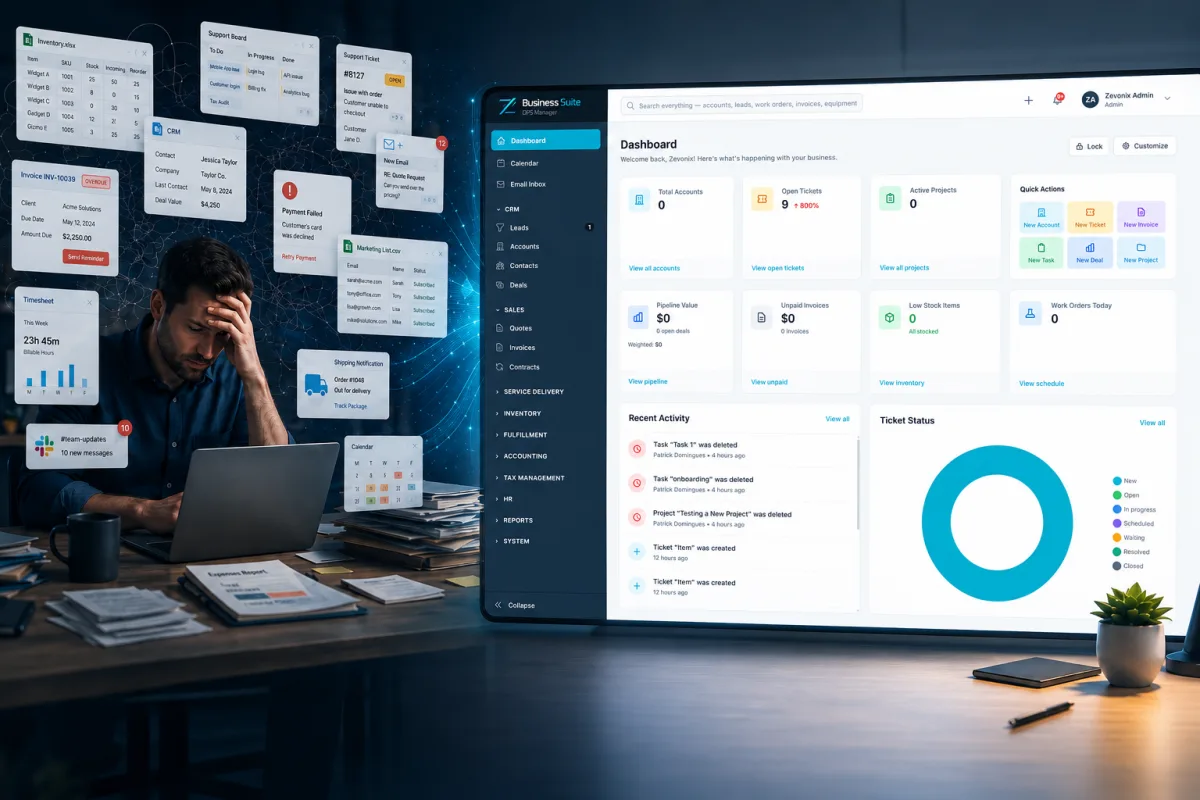
Most small businesses do not start with a software problem. They start with a simple need.
A business needs a way to send invoices, so it signs up for accounting software. Then it needs to track customers, so it adds a CRM. Later, the team needs project tracking, ticketing, scheduling, inventory, file storage, forms, spreadsheets, and maybe a few industry-specific tools.
At first, this works. Each tool solves one problem. Each one seems affordable. Each one feels like a quick fix. But over time, those quick fixes can turn into a much bigger issue: tool sprawl.
Tool sprawl happens when a business relies on too many disconnected apps to run daily operations. Instead of helping the company move faster, the software stack starts creating extra work, duplicate data, reporting gaps, and unnecessary confusion.
That is where small business management software becomes important.
The right platform can help bring customers, invoices, projects, tickets, inventory, reporting, and operations into one organized system instead of spreading critical business information across multiple disconnected tools.
The Hidden Cost of Running Your Business With Too Many Separate Software Tools - Table of ContentsWhat Is Tool Sprawl?
The Real Cost of Too Many Software Tools1. Your Team Enters the Same Data More Than Once
2. Reporting Takes Too Long
3. Customer History Gets Scattered
4. Subscriptions Start to Overlap
5. Training Becomes Harder
Signs Your Business Has Outgrown Disconnected Software
What Small Business Management Software Should IncludeCustomer Relationship Management
Quotes and Invoicing
Projects and Tasks
Tickets and Support Requests
Field Service and Scheduling
Inventory Management
Accounting Visibility
Reporting
User Permissions and Security
Customer Portal
Why One Connected Platform Can Be Better Than Many Separate Tools
Where Zevonix Business Suite Fits
The MSP Advantage
Final Thoughts
Frequently Asked QuestionsWhat is small business management software?
Why do small businesses end up using too many software tools?
What are the signs that a business has too many disconnected tools?
How can one business management platform help?
Is small business management software the same as ERP software?
When should a business move away from spreadsheets?
How does Zevonix Business Suite help small businesses?
What Is Tool Sprawl?
Tool sprawl is what happens when a business keeps adding software without a clear system for how everything works together.
For example, a company may use:
- One app for customer records
- One app for quotes
- One app for invoices
- One app for projects
- One app for support tickets
- One spreadsheet for inventory
- One shared inbox for customer requests
- One calendar for field scheduling
- One folder system for documents
- One separate system for reporting
Individually, each tool may be useful. The problem is that they often do not share information cleanly.
That means the same customer may exist in multiple systems. A quote may not connect to the final invoice. A work order may not connect to inventory. A customer service issue may not be visible to the person handling billing. A project update may live in a spreadsheet that only one person knows how to find.
The business still has software, but it does not have a connected system.
The Real Cost of Too Many Software Tools
The cost of tool sprawl is not always obvious. Business owners usually notice the monthly subscription fees first, but the bigger cost is often hidden inside daily operations.
The real cost shows up in wasted time, repeated work, missed details, and poor visibility.
1. Your Team Enters the Same Data More Than Once
One of the clearest signs of disconnected software is duplicate data entry.
A customer gets entered into the CRM. Then the same customer gets entered into the accounting system. Then the same information gets copied into a project tracker, a spreadsheet, or a ticketing system.
Every time someone retypes the same information, the business loses time and increases the chance of mistakes.
A typo in one system can create billing problems. An outdated address can delay service. A missed contact note can affect customer follow-up.
Small mistakes become expensive when they spread across multiple tools.
2. Reporting Takes Too Long
Good business decisions require clear information.
But when information is spread across too many apps, reporting becomes a manual process. Someone has to export data from one system, copy numbers from another, check a spreadsheet, and then try to make everything match.
That slows down decision-making.
A business owner should be able to quickly answer questions like:
- Which customers are most profitable?
- Which invoices are overdue?
- Which projects are falling behind?
- Which service requests are still open?
- Which inventory items are running low?
- Which team members are overloaded?
- Which parts of the business are growing?
When those answers require digging through five different systems, the software is no longer helping enough.
3. Customer History Gets Scattered
Customers expect businesses to know who they are and what has already happened.
But when customer history is split between email, accounting software, spreadsheets, tickets, and project notes, it becomes harder to deliver a smooth experience.
A customer may call about an invoice, but the person answering the phone cannot see the related project. A technician may arrive at a job without knowing the customer had a previous issue. A sales conversation may happen without visibility into open support tickets.
This creates friction for both the customer and the team.
A centralized business management platform helps keep customer information in one place so the business can see the full picture.
4. Subscriptions Start to Overlap
Many businesses pay for more software than they realize.
One app may include project management. Another app may include basic CRM. Another app may include invoicing. Another app may include forms, notes, or customer records.
Before long, the business is paying for overlapping features across multiple platforms.
That does not always mean every tool should be removed. Some specialized tools are valuable. But when several apps are doing pieces of the same job, it may be time to review the stack.
The goal is not to have the most software. The goal is to have the right software.
5. Training Becomes Harder
Every tool has its own layout, settings, permissions, notifications, and learning curve.
When a new employee joins the company, they may have to learn five or six different systems before they can do their job well. That slows onboarding and increases the chance that important steps get missed.
Even experienced employees may build their own workarounds when the software stack is too fragmented.
One person may track things in a spreadsheet. Another may use email folders. Another may rely on memory. Another may keep notes in a separate app.
This creates inconsistent processes across the business.
Small business management software can help standardize the way work flows through the company.
Signs Your Business Has Outgrown Disconnected Software
Not every business needs a full business management platform right away. Some companies can run fine with a few simple tools.
But there are clear signs that your current setup may be holding the business back.
You may have outgrown disconnected software if:
- Your team enters the same information into multiple systems
- You rely heavily on spreadsheets for core operations
- Customer records are not easy to find in one place
- Invoices, projects, tickets, and inventory do not connect
- Reports take too long to prepare
- Your team frequently asks, “Where is that information?”
- You are paying for several tools with overlapping features
- Important work depends on one person’s memory or spreadsheet
- You cannot quickly see what is happening across the business
- Growth is making your current process harder instead of easier
These issues usually get worse as the business grows.
A process that works for three people may break down with ten. A spreadsheet that worked for fifty customers may become risky with five hundred. A manual workflow that seemed manageable last year may become a bottleneck this year.
Growth exposes weak systems.
What Small Business Management Software Should Include
The best small business management software should help organize the major areas of daily operations.
Every business is different, but many small and mid-sized businesses need a platform that can support:
Customer Relationship Management
A CRM helps track leads, customers, contacts, notes, opportunities, and communication history.
The CRM should make it easy to see who the customer is, what they need, what has been discussed, and what should happen next.
Quotes and Invoicing
Quoting and invoicing should connect to the rest of the business.
A quote should be easy to turn into a job, project, invoice, or work order. Invoices should be easy to track, review, and report on.
Projects and Tasks
Project tracking helps teams manage deadlines, responsibilities, progress, and internal communication.
For service businesses, contractors, and growing teams, project visibility is critical.
Tickets and Support Requests
Customer issues, internal requests, and service needs should not live only in email.
A ticketing system helps track requests from start to finish, assign responsibility, and make sure nothing gets lost.
Field Service and Scheduling
For businesses with technicians, service calls, inspections, installs, repairs, or on-site work, scheduling and field visibility matter.
The right system should help connect customers, jobs, notes, assignments, and follow-up.
Inventory Management
Inventory problems can quickly affect sales, service, and customer satisfaction.
A business management platform should help track parts, products, stock levels, usage, and availability.
Accounting Visibility
Small businesses need clear financial information.
That may include invoices, payments, expenses, account balances, transaction tracking, reconciliation support, and financial reporting.
Reporting
A strong platform should make it easier to see what is happening across the business.
Reports should help owners and managers understand performance, workload, revenue, customer activity, and operational trends.
User Permissions and Security
As a business grows, not every employee should have access to everything.
User roles and permissions help protect sensitive information while still giving employees access to what they need.
Customer Portal
A customer portal can give clients a better experience by allowing them to view information, submit requests, check updates, or access documents in one place.
Why One Connected Platform Can Be Better Than Many Separate Tools
One connected platform does not just reduce the number of apps.
It can change how the business operates.
When customer data, invoices, projects, tickets, inventory, and reports are connected, the business can work with better visibility.
Instead of asking employees to chase information across different systems, the platform becomes the central place where work gets done.
That can help reduce:
- Manual entry
- Duplicate records
- Missed follow-ups
- Reporting delays
- Customer confusion
- Software overlap
- Process inconsistency
It can also help improve:
- Team communication
- Customer service
- Financial visibility
- Accountability
- Workflow consistency
- Operational control
For many small businesses, the biggest benefit is not just saving money on software. It is saving time and reducing the daily friction that slows the team down.
Where Zevonix Business Suite Fits
Zevonix Business Suite was built for small and mid-sized businesses that need more than basic apps but do not want the cost or complexity of a traditional enterprise ERP system.
Many businesses reach a point where they are too advanced for spreadsheets but not ready for a massive enterprise software rollout.
That middle ground is exactly where Zevonix Business Suite fits.
It brings major business functions into one platform, including CRM, accounting, projects, tickets, field service, inventory, HR, reporting, customer management, and operational tools.
The goal is simple:
Help businesses run from one organized system instead of relying on disconnected software, scattered spreadsheets, and manual workarounds.
For contractors, service companies, distributors, e-commerce businesses, repair companies, and other growing small businesses, having one connected platform can make daily operations easier to manage.
The MSP Advantage
Because Zevonix also provides managed IT and cybersecurity services, we look at business software differently.
Software is not just about features. It is also about security, reliability, access control, backups, user management, support, and long-term business continuity.
A business platform should not create more risk. It should help reduce operational risk.
That means thinking about:
- Who has access to sensitive information
- How data is protected
- How users are managed
- How systems are backed up
- How the business keeps running
- How software supports future growth
For many businesses, technology decisions are business decisions.
The tools you choose affect your team, your customers, your reporting, your security, and your ability to grow.
Final Thoughts
Using several different software tools is normal for a growing business.
But at some point, too many disconnected tools can become a burden.
When your team is copying data between systems, building reports by hand, chasing customer history, relying on spreadsheets, or paying for overlapping software, it may be time to consider a better approach.
Small business management software can help bring the core parts of your operation into one connected platform.
Zevonix Business Suite was designed to help small and mid-sized businesses simplify operations, improve visibility, and reduce the daily friction caused by disconnected tools.
If your business is running on too many apps, spreadsheets, and manual processes, it may be time to bring everything together.
Learn more about Zevonix Business Suite at ZevonixSuite.com.
Frequently Asked Questions
What is small business management software?Small business management software is a platform that helps a company manage daily operations such as customers, invoices, projects, tickets, inventory, tasks, reporting, and team workflows. Instead of using several disconnected tools, the business can organize key information in one system.Why do small businesses end up using too many software tools?Many small businesses add software one problem at a time. They may start with accounting software, then add a CRM, project tracker, ticketing tool, spreadsheet system, scheduling app, and inventory tracker. Each tool may solve a short-term issue, but over time the business can become harder to manage if those tools do not work together.What are the signs that a business has too many disconnected tools?Common signs include duplicate data entry, reports that take too long to create, customer information spread across multiple apps, heavy reliance on spreadsheets, missed follow-ups, software subscription overlap, and employees not knowing where to find important information.How can one business management platform help?One business management platform can help centralize information so customers, invoices, projects, tickets, inventory, and reports are easier to manage. This can reduce manual work, improve visibility, simplify training, and help teams work from the same source of truth.Is small business management software the same as ERP software?They are similar, but not always the same. ERP software usually refers to a broader system for managing major business functions such as accounting, inventory, operations, and reporting. Small business management software often provides ERP-style features in a simpler and more affordable way for smaller companies.When should a business move away from spreadsheets?A business should consider moving away from spreadsheets when they become difficult to maintain, contain important data that only one person understands, cause duplicate work, create reporting delays, or become risky for managing customers, inventory, projects, or financial information.How does Zevonix Business Suite help small businesses?Zevonix Business Suite helps small and mid-sized businesses bring core operations into one platform. It includes tools for CRM, accounting, projects, tickets, field service, inventory, HR, reporting, and customer management so businesses can reduce disconnected systems and manage daily work more efficiently. https://zevonix.com/hidden-cost-of-too-many-business-software-tools/


Comments
Post a Comment